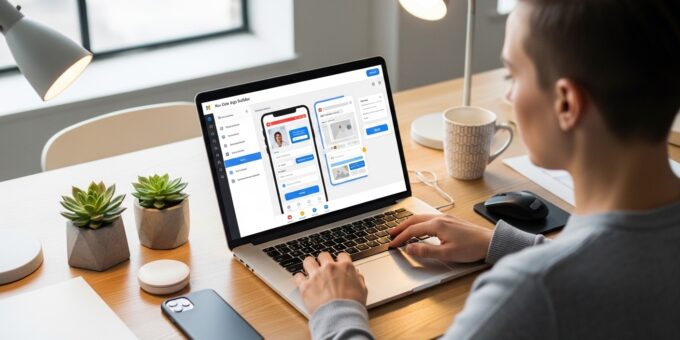
In today’s digital world, you no longer need to be a professional developer to create powerful applications. Thanks to no-code tools, anyone can build apps without writing a single line of code. Whether you want to launch a startup, automate workflows, or create a new online business, no-code platforms make it faster, cheaper, and more accessible than ever.
This guide will walk you through how to use no-code tools effectively, even if you have zero technical background. You will also discover how these tools can support passive income strategies and scalable digital ventures.
What Are No-Code Tools?
No-code tools are platforms that allow users to create applications using visual interfaces instead of programming languages. You can drag and drop elements, configure workflows, and connect databases without coding knowledge.
Popular no-code tools include:
- Bubble – Full-stack web app builder
- Webflow – Website and CMS builder
- Zapier – Automation platform
- Airtable – Database and workflow management
- Glide – Mobile app builder
These tools empower entrepreneurs to launch products without hiring developers, reducing costs and development time.
Why No-Code Tools Are Transforming App Development
The rise of no-code platforms has revolutionized how people approach digital products. Here are key reasons why they are so powerful:
1. Speed and Efficiency
You can build and launch apps in days instead of months. This is perfect for testing ideas quickly.
2. Cost Savings
Hiring developers can be expensive. No-code tools eliminate this barrier, making it easier to start an online business.
3. Accessibility
Anyone can use these tools. You do not need a computer science degree to get started.
4. Scalability
Many platforms allow you to scale your app as your business grows, making them ideal for long-term projects.
Step-by-Step Guide: How to Use No-Code Tools to Build Apps Without Programming
Step 1: Define Your App Idea
Start with a clear idea. Ask yourself:
- What problem does your app solve?
- Who is your target audience?
- What features are essential?
For example, you might want to create a marketplace, a booking system, or a productivity tool.
Step 2: Choose the Right No-Code Platform
Different tools serve different purposes. Choose based on your needs:
- Use Bubble for complex web apps
- Use Glide for mobile apps
- Use Webflow for websites
You can also combine tools. For example, connect Airtable with Zapier to automate workflows.
Step 3: Design Your User Interface
Most no-code tools provide drag-and-drop editors. Focus on simplicity and user experience.
Tips for good design:
- Keep layouts clean
- Use consistent colors
- Ensure mobile responsiveness
A well-designed app increases engagement and conversions.
Step 4: Build Your Database
Your app needs data to function. Tools like Airtable allow you to create structured databases easily.
Examples of data:
- User profiles
- Product listings
- Orders and transactions
Step 5: Add Logic and Workflows
This is where your app becomes functional. Use built-in logic to define actions.
For example:
- When a user signs up, send a welcome email
- When a payment is made, update the order status
Automation tools like Zapier can help connect different apps seamlessly.
Step 6: Test Your App
Before launching, test your app thoroughly. Check for:
- Bugs and errors
- User experience issues
- Performance problems
Testing ensures your app delivers value to users.
Step 7: Launch and Market Your App
Once your app is ready, it is time to launch. Promote it through:
- Social media
- Email marketing
- SEO strategies
This step is crucial for building a successful online business.
Best No-Code App Ideas for Beginners
If you are unsure where to start, here are some profitable ideas:
1. Marketplace Apps
Create platforms for buying and selling products or services.
2. Subscription-Based Apps
Offer premium content or tools for recurring revenue, generating passive income.
3. Booking Systems
Build apps for scheduling appointments or reservations.
4. Educational Platforms
Create online courses or learning communities.
How No-Code Tools Support Passive Income
No-code tools are ideal for building systems that generate passive income. Once your app is live, it can earn revenue with minimal maintenance.
Examples include:
- Subscription apps
- Affiliate platforms
- Digital product marketplaces
You can even combine your app with affiliate marketing strategies. For instance, recommend products and earn commissions through platforms like Amazon Associates.
No-Code vs Traditional Development
No-Code Advantages
- Faster development
- Lower costs
- No technical skills required
Traditional Development Advantages
- More customization
- Better for highly complex systems
For most startups and entrepreneurs, no-code tools provide the perfect balance between speed and functionality.
Common Mistakes to Avoid
1. Overcomplicating Your App
Start simple. Focus on core features first.
2. Ignoring User Feedback
Listen to your users and improve your app continuously.
3. Choosing the Wrong Platform
Select tools that match your goals and scalability needs.
4. Lack of Marketing Strategy
Even the best app needs visibility to succeed.
Monetization Strategies for No-Code Apps
To maximize earnings, consider these monetization methods:
- Subscriptions
- Freemium models
- Advertising
- affiliate marketing
You can also explore business models like affiliate vs dropshipping to determine which suits your app. For example, integrating a dropshipping business model allows you to sell products without holding inventory.
Future of No-Code Development
The future of no-code is incredibly promising. As technology advances, these tools will become even more powerful.
Trends to watch:
- AI integration
- More advanced automation
- Improved scalability
This makes now the perfect time to learn how to use no-code tools to build apps without programming.
Conclusion
No-code tools have opened the door for anyone to create apps and launch digital businesses. You no longer need coding skills to turn your ideas into reality.
By following the steps in this guide, you can build, launch, and scale your own app. Whether your goal is to create a startup, automate processes, or generate passive income, no-code platforms provide the tools you need to succeed.
Start small, stay consistent, and keep improving. Your next successful online business could be just a few clicks away.
